Raindrop.io is a genuinely good bookmark manager. If your goal is saving links across every topic in your life, from recipes to research papers to that one tweet you wanted to find again, it does the job well. But "save a design reference" and "save a link" are different jobs. If you collect websites for how they look, not what they say, a few gaps in a general-purpose tool show up fast.
Where Raindrop is strong
It is worth being fair about this before getting into the differences, because Raindrop earns its popularity.
- Broad, all-purpose bookmarking across any topic, not just design
- Mature tagging, nested folders, and full-text search across saved pages
- A generous free tier and apps on every platform, including a well-built browser extension
If that is what you need, a general bookmark manager is a fine choice, and you probably do not need to add another tool to your stack. The differences below only matter once a meaningful share of what you save is design work: competitor sites, client references, portfolio pieces, or anything you are collecting to inform a build.
Where a visual, design-first tool pulls ahead
What actually gets captured
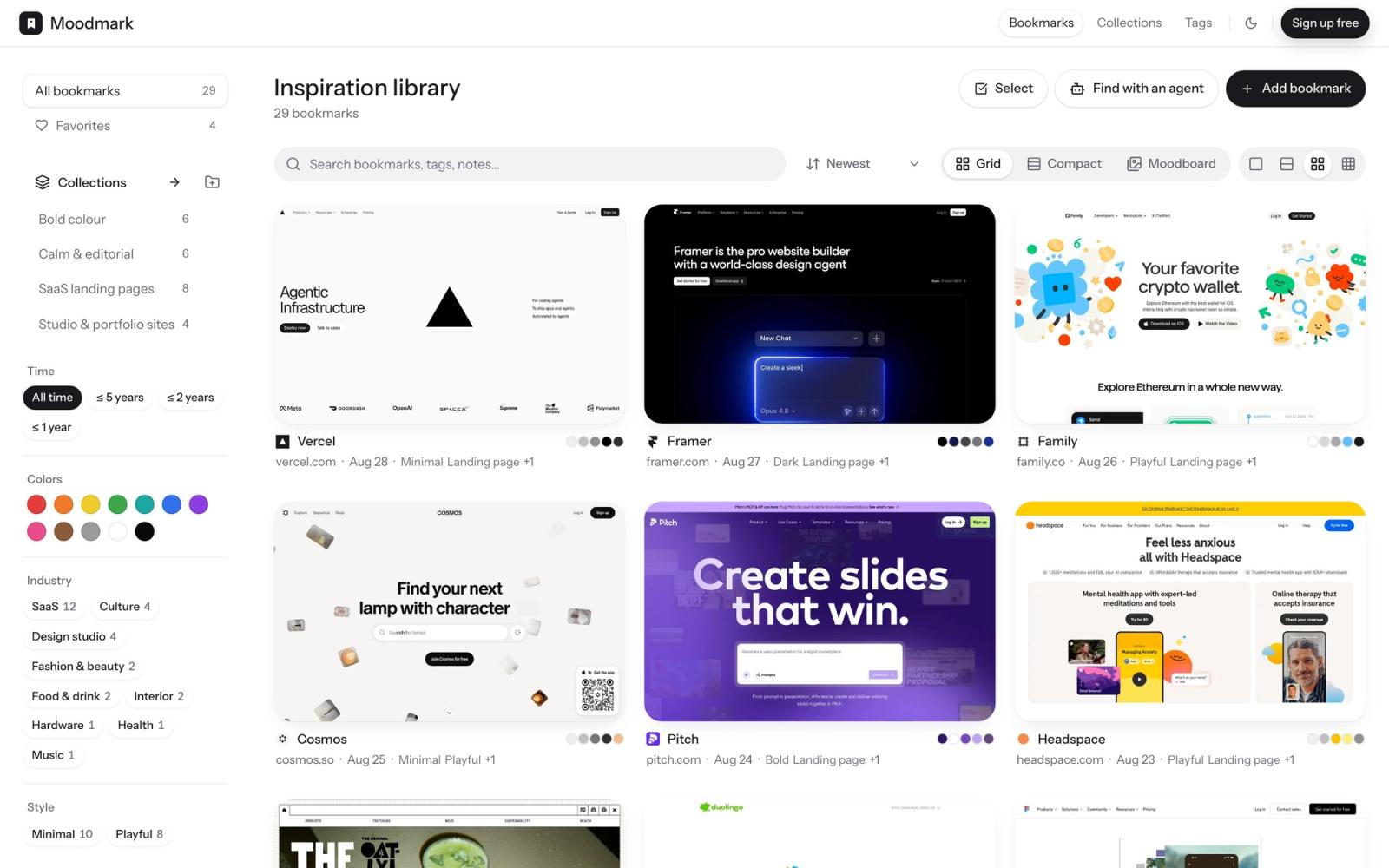
Raindrop saves the link, the page title, and a small preview thumbnail. That is enough to remember what an article was about, but it throws away almost everything a designer would want back later. Moodmark captures the full screenshot of the page, the color palette read directly from it, the fonts in use, and the tech stack behind it, the attributes that actually matter when the reference is the design itself, not the words on it.
How you find things again
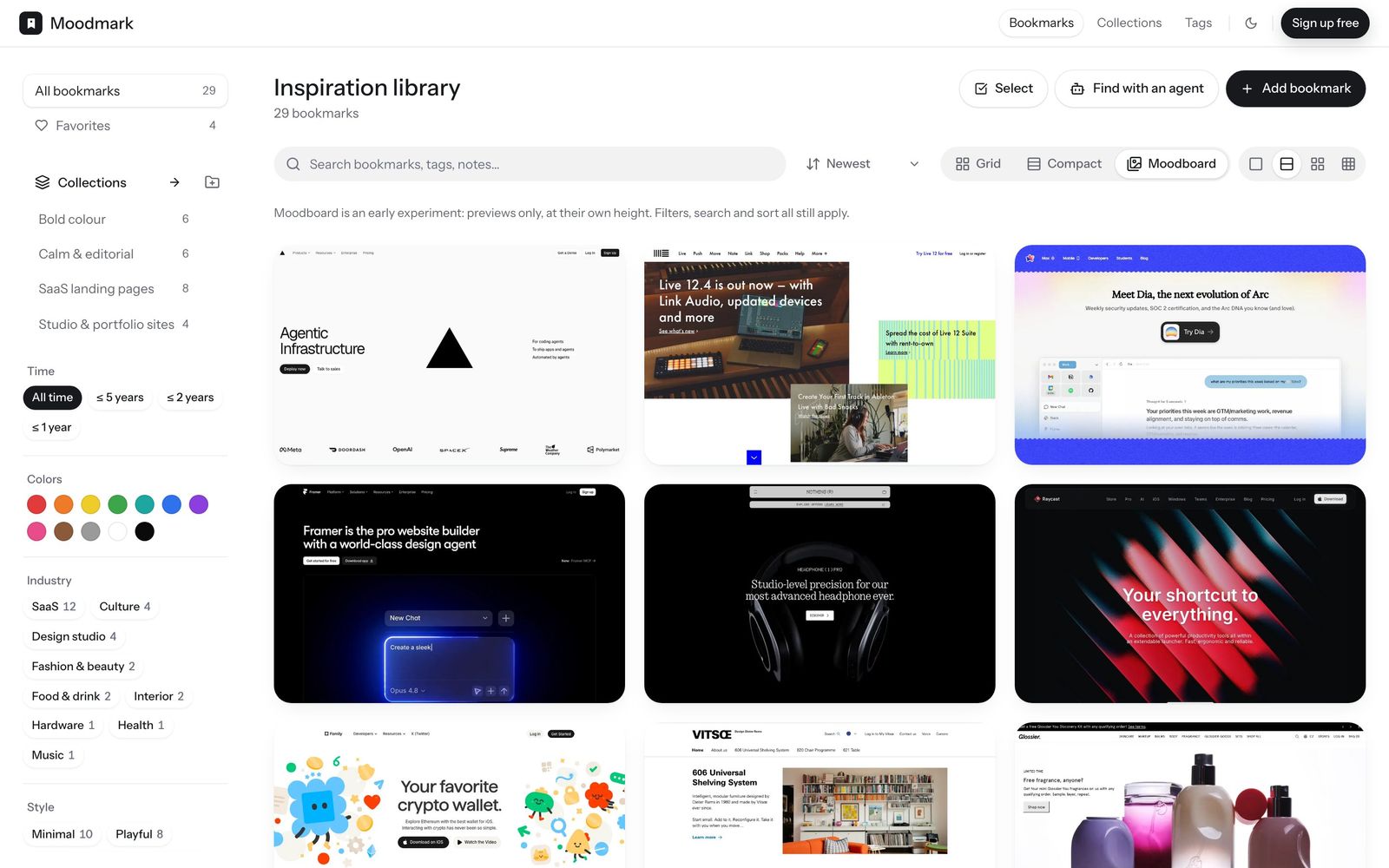
This is the part most people do not think about until their bookmark list is 300 items deep. Raindrop finds things by title, tag, or full-text search. That works if you remember what you named something. It does not work when what you actually remember is "that warm beige portfolio site" or "the dark one with the big serif type," which is how designers naturally recall references. A visual library that lets you filter by color and browse a grid solves that problem directly, because it matches how the memory actually works.
A quick example
Say you spot a competitor's landing page with a color combination you want to reuse on a client project. In Raindrop, you save the link, maybe tag it "inspo" or "landing pages," and move on. Three weeks later you are staring at a folder of thirty similarly tagged links with no way to tell which one had the terracotta and cream palette without reopening each one. In Moodmark, the palette is already sitting on the card as swatches, so you can filter the whole library down to warm, earthy tones and find it in seconds, without remembering the site's name, the client it was for, or what folder you put it in.
Turning a reference into an AI build prompt
This is the biggest structural difference, and it is not a small feature gap, it is a different category of tool. From any saved reference, Moodmark generates a design.md: a paste-ready prompt plus CSS and Tailwind design tokens, built for AI website builders like v0, Cursor, Lovable, and Bolt. No general-purpose bookmark manager does this, and it is not an oversight on their part, it is simply not what they are built for. If you build sites with AI tools, this is the difference between describing a reference from memory and handing your builder the actual color values, fonts, and structure.
Sharing references for client review
Both tools let you share a collection of saved items with someone else. Where a design-focused tool tends to go further is in making that share client-ready out of the box: a public board built for visual review, with the option for a client to vote on favorites, so a review starts from a shortlist instead of a blank call or a scattered set of links.
Common ways design references get lost in a general tool
Most designers do not lose references because they forget to save them. They lose them because saving is easy and retrieving is hard. A few patterns show up over and over in general bookmark managers:
- Tags drift over time, so the same kind of reference ends up filed three different ways depending on your mood that day
- Thumbnails are tiny and low-resolution, so scanning a folder visually barely works
- Nothing captures the actual palette or fonts, so "find something like this but blue" means opening links one by one
- There is no path from a saved reference into an actual build, so the reference stays a reference and the design work starts over from a blank page
None of these are bugs in Raindrop specifically. They are the natural result of a tool built for links being asked to do a job it was not designed for.
So which should you use?
The honest answer is that they are not really competing for the same job.
- Choose Raindrop if you want one tool for every bookmark across every topic in your life, and design references are just a small slice of that.
- Choose a tool like Moodmark if you save websites specifically for their design, and especially if you feed those references into AI website builders as part of your workflow.
In practice, a lot of designers end up running both: Raindrop or a similar tool for general reading and reference, and a visual-first library for the design work itself. If design references are piling up in a general bookmark manager and you keep wishing you could search them by look, or turn one straight into a build prompt, that is the specific gap a tool like Moodmark is built to close.
Weighing more options than these two? See our roundup of Pinterest alternatives for web designers.
Getting started
Moving over is low-effort: install the Chrome extension, save a handful of your best references with one click, and let the color palette, fonts, and tech get captured automatically instead of by hand. You do not need to migrate your whole bookmark history on day one. Start with the references you actually reach for when you are starting a new project, and build the visual library from there.
Questions & answers
Is Moodmark a full Raindrop replacement?
Not for general bookmarking. It is purpose-built for design references, so many people use it alongside a general bookmark manager rather than instead of one.
Can I move my design bookmarks from Raindrop into Moodmark?
You can save any URL into Moodmark and the extension re-captures the visual data, screenshot, palette, fonts, and tech, at the moment you save it.
Does Moodmark have a free tier?
Yes, it is free to start, so you can try saving and filtering a library before deciding whether to move more of your references over.
Do I need to use the AI build prompt feature to get value from Moodmark?
No. The core value is the visual library and color filtering. The design.md build prompt is an extra step available on any saved reference, not a requirement.
