
Two tools built around a different question
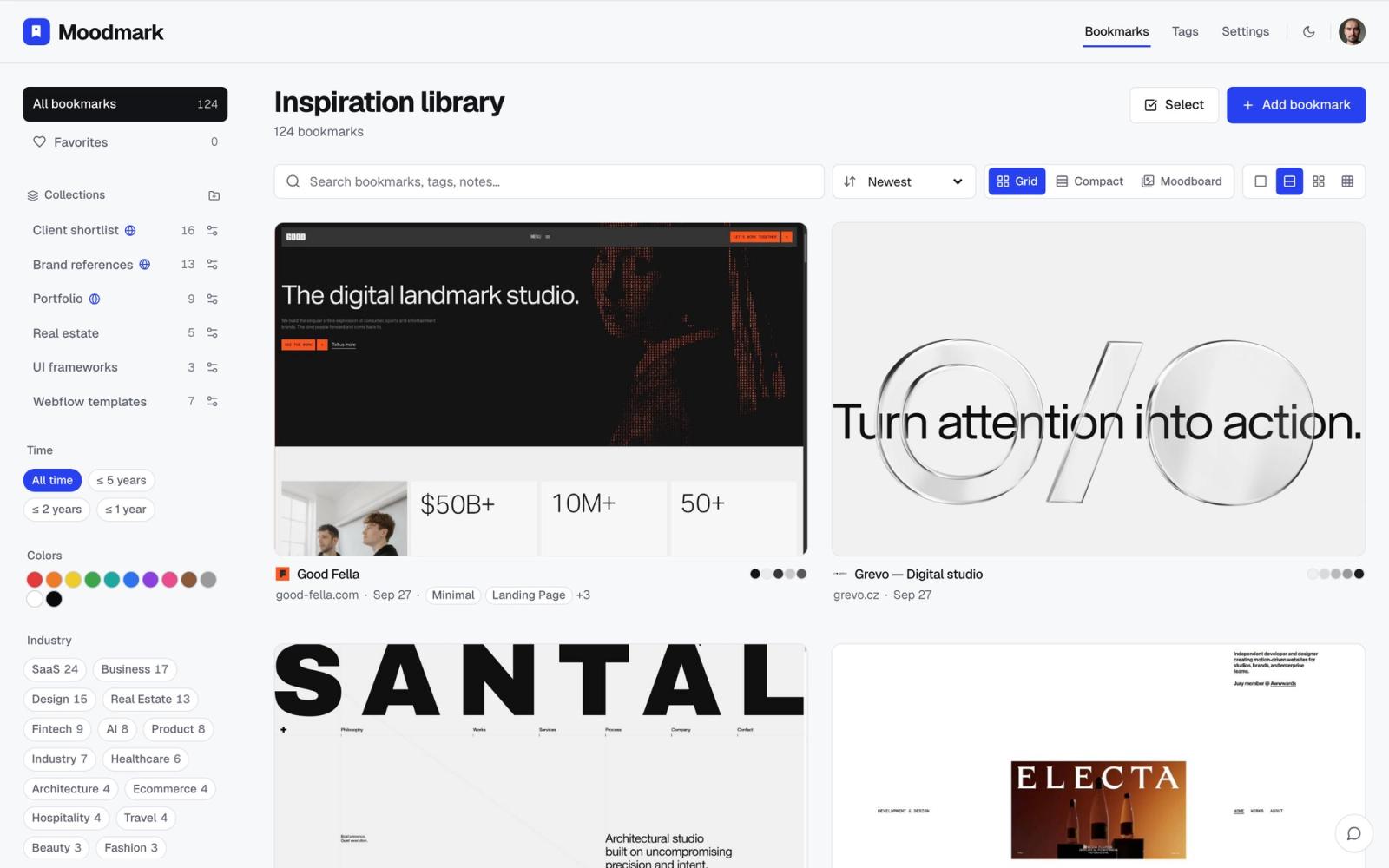
Are.na and Moodmark both get recommended in the same breath when a designer asks where to keep visual references, and it is easy to see why. Both are built for people who save things, not for people who read them later. But they are answering different questions. Are.na asks: how do I arrange a set of references into something legible for other people to browse? Moodmark asks: how do I find one specific reference again, out of hundreds, without remembering its name?
That difference decides almost everything else: how saving feels day to day, what a library looks like once it has 300 things in it, and who else gets to see it.
What Are.na does well
Are.na is a web app built around channels, ordered collections of links, images, text blocks, and files that you add to and arrange by hand. Channels can be connected to other channels, followed by other people, and made public or private, which is what makes Are.na genuinely good at the thing it is built for: shared, curated research that reads like a conversation rather than a folder.
- Channels can hold links, images, PDFs, and plain text side by side, not just screenshots
- Connecting one channel to another builds a web of related research over time
- A strong existing community of designers, writers, and researchers to follow and get discovered by
- Free tier is generous for how light the tool is to use
The tradeoff is that a channel only looks good because someone kept arranging it. Adding something means opening Are.na, creating or finding the right channel, and often writing a line of context so the block makes sense next to its neighbors. For a public research channel that pays off. For the private pile of 200 sites you saved while building a mood board, it is a lot of upkeep for something nobody but you will ever open in order.
Where Moodmark starts differently
1. Saving takes one click, not a block
Moodmark is a Chrome extension first. You click it on a live site and it captures a full-page screenshot, a mobile view, the color palette actually rendered on the page, the fonts in use, and a guess at the tech stack, automatically, with no channel to pick and no caption to write. If you only ever need the reference, not a write-up of why it matters, this removes the one step that makes a reference library stall out after the first enthusiastic week.
2. You find things by how they look, not where you put them
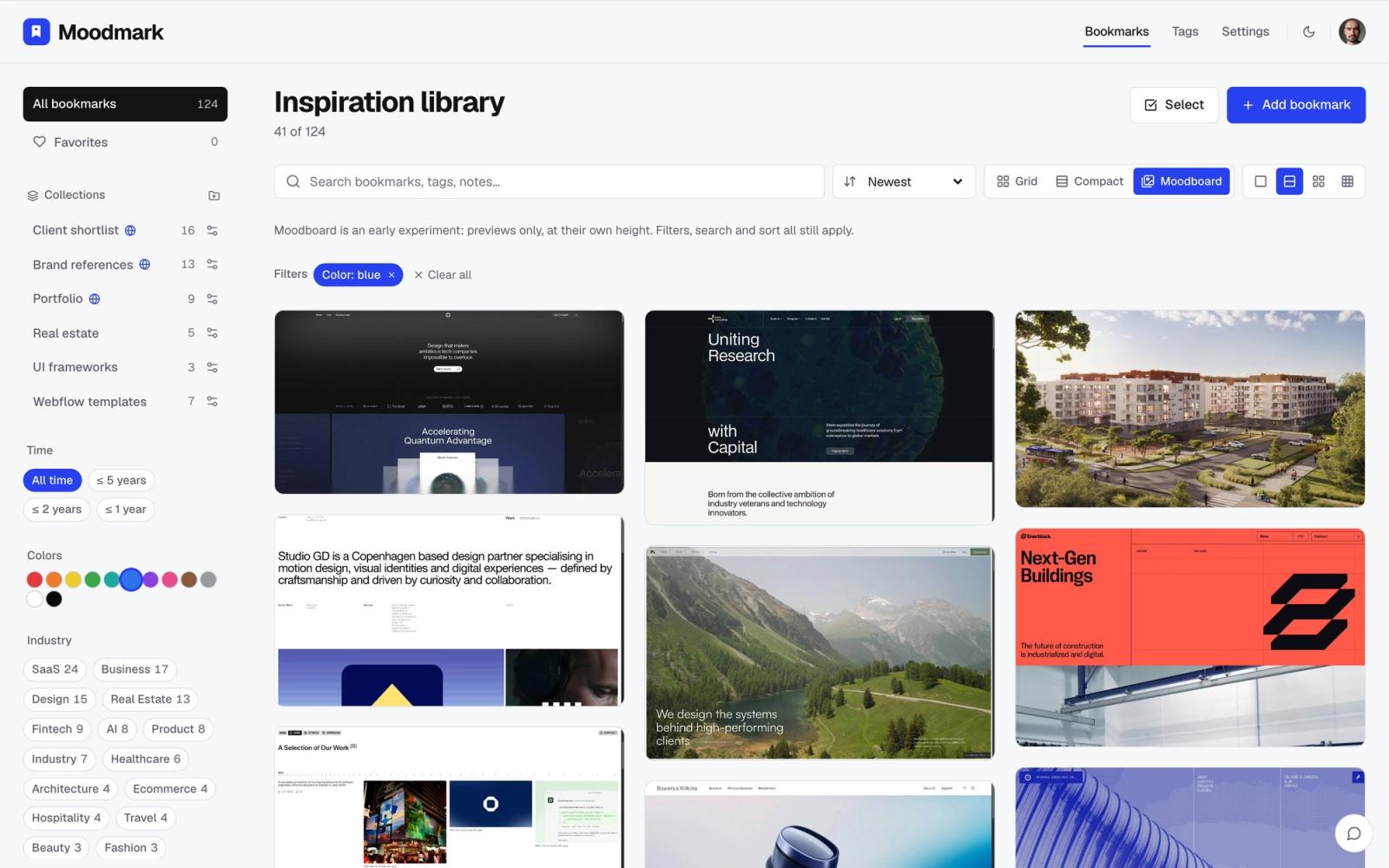
Are.na's organization lives in the order and grouping you gave it. Moodmark's lives in the attributes it extracted when you saved the site: click a color swatch and the library narrows to only the sites using that blue, click a font or an industry tag and it narrows again. You are not hunting through a channel trying to remember which one you put a reference in; you are describing what you remember about it, 'the warm beige portfolio site', and letting the filter find it.
3. The library rearranges itself as a moodboard
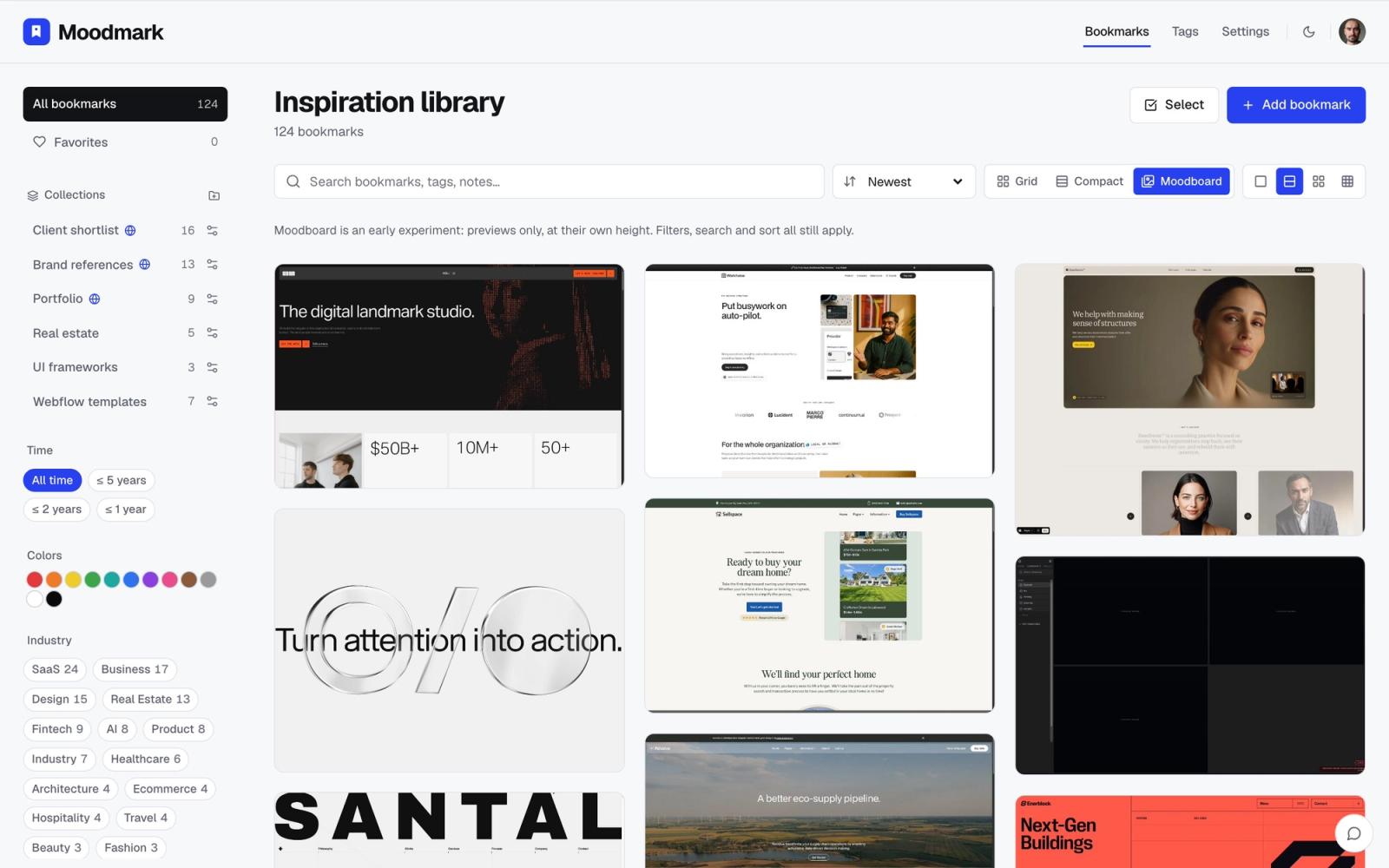
Switch Moodmark's view and the same filtered set becomes a dense wall of screenshots, the moodboard view, which is the closest Moodmark gets to Are.na's visual browsing feel. The difference is that nobody arranged it. It is a query result, not a canvas: narrow the filter and the wall reflows on its own, so a mood board for 'editorial, warm, serif' is always current with what you have saved, not a snapshot from the day you built it.
4. It is private by default, with sharing as an option
Are.na's strength, a public, followable channel, is also a reason it is not the obvious place for a client's unreleased rebrand research. Moodmark's library is private by default; you share a specific collection as a public, read-only board when a client needs to see it or vote on directions, and nobody else browses your account the rest of the time.
What Are.na still does that Moodmark does not
Are.na is not just a worse Moodmark, and it is worth being honest about where it wins. It handles plain text and PDFs natively, which Moodmark does not try to do; it is genuinely built for following other people's research and discovering channels you did not know you wanted; and hand-arranging a channel gives you a kind of editorial control, telling a specific story in a specific order, that an auto-generated filtered wall cannot replicate. If the point of your library is to be read by someone else as a narrative, Are.na is built for that in a way Moodmark is not trying to be.
Which one should you actually use
If most of what you save is live websites and the job is finding one again fast, by color, style, or industry, without manually filing it anywhere, Moodmark is the better fit: the capture is faster, the library organizes itself from what it already extracted, and the moodboard view stays current without upkeep. If you are doing research that mixes text, PDFs, and images, want to follow and be followed by other people's channels, or are building something meant to be read in a specific order, Are.na's manual arrangement is doing real work that Moodmark is not built to replace.
A fair number of designers end up using both: Are.na for public, narrative research, Moodmark for the private, fast-growing pile of site references they need to find again by how they look.
Can you move a channel from Are.na into Moodmark?
There is no direct import, since Are.na blocks are not all live URLs and Moodmark's capture needs a real page to screenshot. For any block in a channel that links to a live site, saving it with the Moodmark extension takes a few seconds per site and gives you the screenshot, palette, and fonts that Are.na's link block does not capture on its own.
Questions & answers
Is Are.na free to use?
Are.na has a free tier with limits on channels and blocks, plus a paid plan for unlimited channels and extra features. Moodmark's free tier covers up to 50 bookmarks with full filtering; Premium removes the limit and adds the design.md export.
Does Moodmark support text or PDF blocks like Are.na?
No. Moodmark is built specifically for saving and filtering live websites: the screenshot, color palette, fonts, and tech stack it captures only apply to a web page, not a text note or a PDF.
Can I make a Moodmark collection public like an Are.na channel?
Yes. Collections can be shared as a public, read-only board, which is useful for sending a client a curated set of references or collecting votes on a direction, without making your whole library browsable.
