
If you have used Claude, Cursor or ChatGPT for design work, you have probably hit the same wall: the agent does useful research, and then it all sits in a chat transcript. The links are in a bulleted list, nothing is captured, and next week you can't find any of it. MCP is the piece that fixes that, and it is less technical than the name suggests.
What MCP is, in designer terms
MCP stands for Model Context Protocol. It is an open standard for connecting AI agents to other software. Think of it like the plugin system in Figma: the plugin author describes what their plugin can do, and Figma knows how to run it. With MCP, a service describes a short list of actions it offers, and any agent that speaks MCP can use them.
There are three parts worth knowing:
- The client is the app you talk to: Claude Code, Claude Desktop, Cursor, Codex.
- The server is the service on the other end, for example your reference library.
- The tools are the specific actions the server exposes, like “save these websites” or “search my library for blue sites”.
The important detail is that an agent can only do what the tools allow. An MCP server isn't a back door into an account. If a server offers save and search but no delete, the agent can't delete, however you phrase the request.
Why a reference library is a good first MCP server
Most MCP examples are for developers: databases, GitHub, error trackers. For designers, a reference library is one of the most natural fits, for a few reasons.
Agents are good at breadth, bad at memory
An agent with a browser will happily open forty candidate sites and check each against your brief. That is exactly the tedious part of reference hunting. What it can't do is remember any of it next session. A library gives that work a permanent home.
The output becomes visual
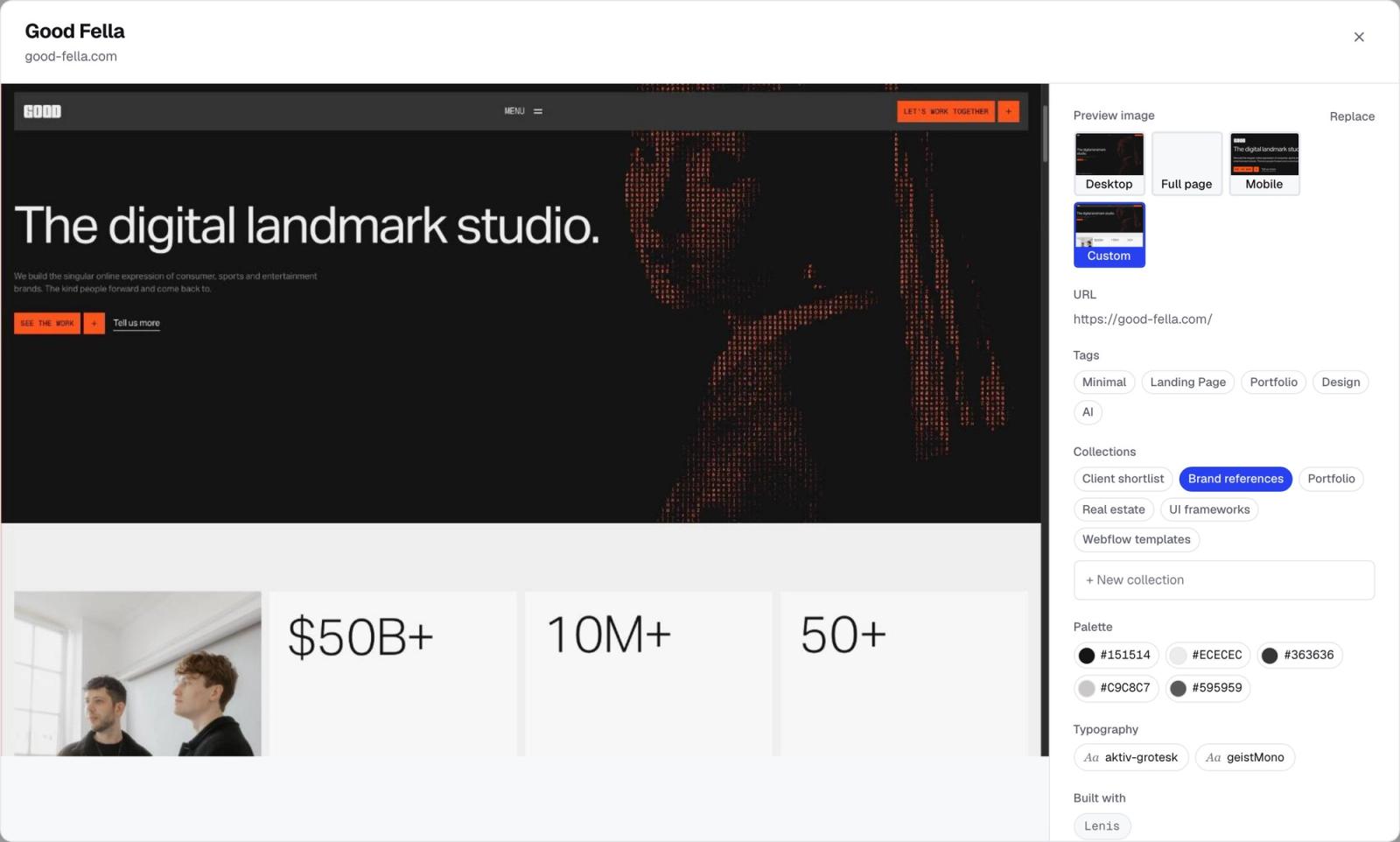
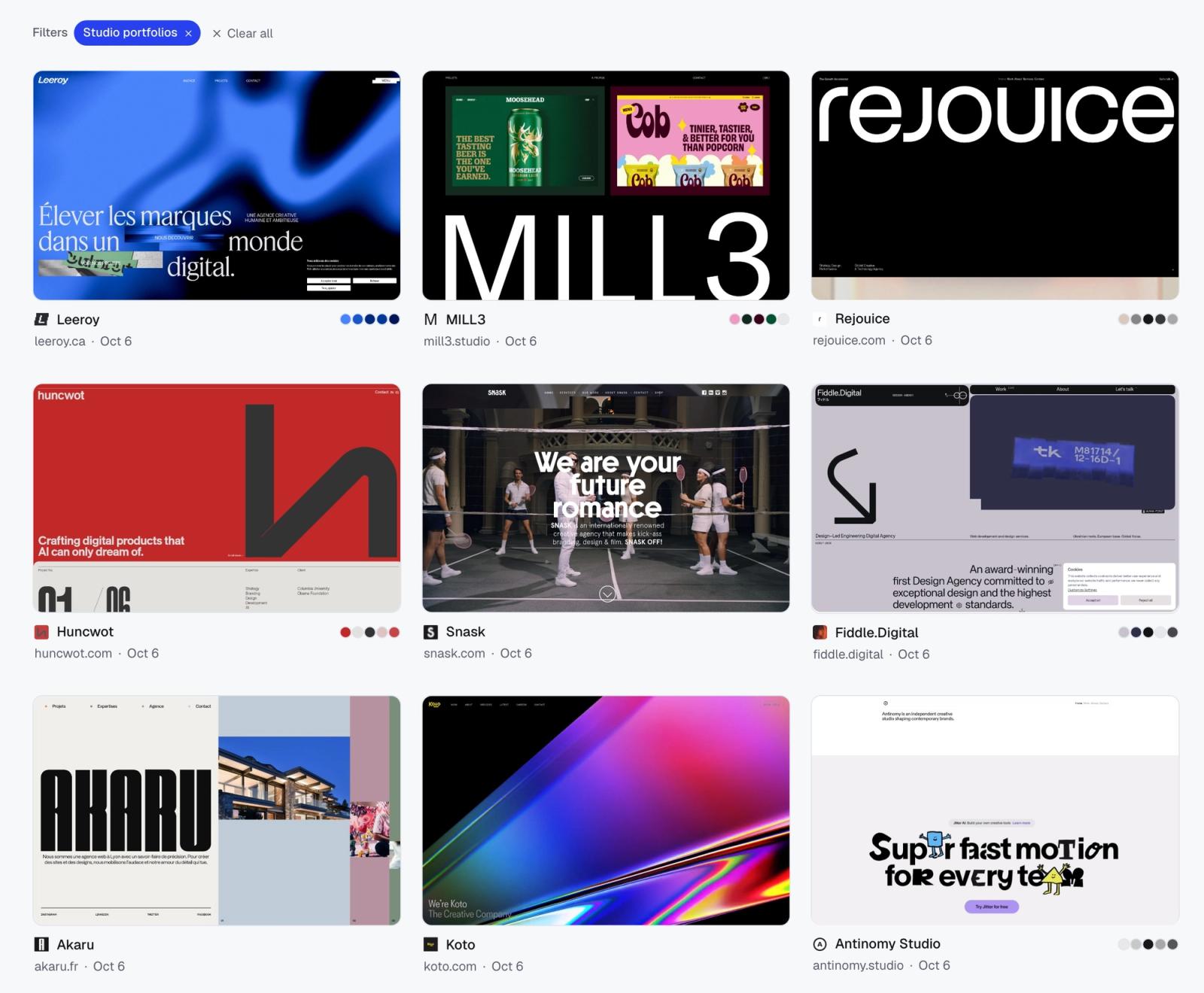
A list of URLs in a chat is useless for design decisions. When the agent saves into Moodmark, each site gets a screenshot, title, favicon, fonts and tech stack, and the colour palette is extracted when you next open your library. The research turns into a wall of images you can actually judge.
The data is structured
Because fonts and tech are captured, the agent can answer questions about your own collection later, like which typefaces keep coming up in a client shortlist, by searching what you saved rather than guessing.
The risk is low
A reference library is a good place to start trusting agents. The worst outcome of a bad run is a few sites you didn't want in a collection.
What the Moodmark MCP server can do
The server lives at https://app.moodmark.design/mcp and offers five tools:
- save_websites: saves up to 50 URLs per call into a collection, creating the collection if it doesn't exist. A site that's already saved isn't duplicated, just added to the collection.
- search_library: finds saved sites by text, colour family, tags or collection, the same way the app's filters do.
- list_collections: your collections with counts and links.
- create_collection: makes an empty collection.
- list_tags: your tags by category, so new saves get tagged consistently.
What it doesn't do matters as much. Moodmark does not search the web; the agent finds sites with its own web search and browser. Agents can't edit or delete anything. Saves made by an agent count toward the free plan's 50 bookmarks, like any other save.
Setup: one token, then one config per app
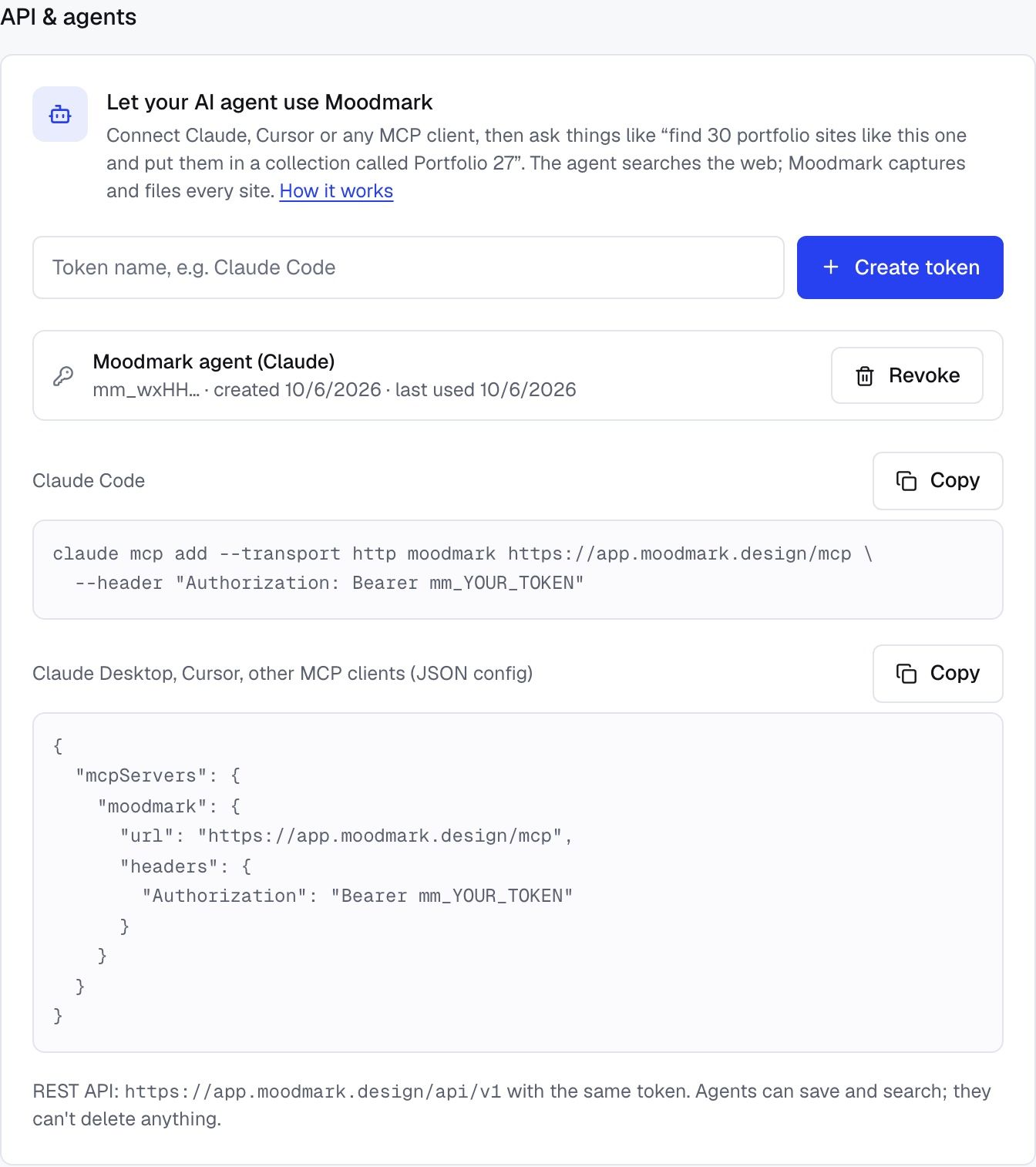
Every client uses the same personal token. In Moodmark, open Settings → API & agents and create one. It is shown once, so copy it before closing the dialog. Moodmark stores only a hash, and you can revoke it from the same screen at any point.
Claude Code
Run this in your terminal, with your token in place of mm_YOUR_TOKEN:
claude mcp add --transport http moodmark https://app.moodmark.design/mcp --header "Authorization: Bearer mm_YOUR_TOKEN"
Cursor
Cursor reads a JSON config with an mcpServers block, in ~/.cursor/mcp.json or a project's mcp.json. Add a moodmark entry with the server URL and the token as a header:
{ "mcpServers": { "moodmark": { "url": "https://app.moodmark.design/mcp", "headers": { "Authorization": "Bearer mm_YOUR_TOKEN" } } } }
Claude Desktop
Claude Desktop's config file only starts local servers, so a remote server like Moodmark goes through mcp-remote, a small bridge that runs with npx (Node.js has to be installed). In claude_desktop_config.json, add a moodmark entry whose command is npx with the arguments -y, mcp-remote, https://app.moodmark.design/mcp, --header and Authorization:${MOODMARK_AUTH}, and set MOODMARK_AUTH to Bearer mm_YOUR_TOKEN in its env block. The full snippet is on moodmark.design/agents, ready to copy.
In Cursor that goes in mcp.json (globally in ~/.cursor/mcp.json, or per project). Restart the app after saving so it picks up the new server.
Codex
OpenAI's Codex reads ~/.codex/config.toml. Add a section for Moodmark:
[mcp_servers.moodmark]
url = "https://app.moodmark.design/mcp"
http_headers = { Authorization = "Bearer mm_YOUR_TOKEN" }
Copy-ready versions of all of these are on moodmark.design/agents.
Check that it works
Start with something harmless: “List my Moodmark collections.” If the agent answers with your real collection names and counts, the connection is live. If it says it has no such tool, the client hasn't loaded the server; restart it. If it reports an authorisation error, the token was copied wrong or has been revoked.
Then give it a small, real job. Something like: “Find 10 portfolio sites similar to good-fella.com with bold editorial type. Open each one and check it has that look. Save them to a collection called Test run.” A good agent opens the candidates, drops the ones that don't fit, saves the rest and replies with a link to the collection.
What designers actually use it for
Once the connection is there, the useful requests fall into a few groups. None of them need special syntax; the agent reads the tool descriptions and works out which one to call.
- Kicking off a project: “Collect 15 fintech landing pages with a dark hero and real product UI. Check each one live and save them to Fintech research.”
- Competitor sweeps: “Here are eight competitors of my client. Open each homepage, skip any that redirect to a login, and save them to Acme competitors.”
- Asking your own library: “What did I save in blue? Pick three that would suit a calm healthcare brand and tell me why.”
- Spotting patterns: “Go through Client shortlist and tell me which fonts and site builders keep coming up.”
The last two are easy to overlook. Most of the value of a library you have built over years is locked in it because nobody has time to scroll it. An agent that can search by colour, tag and collection turns it into something you can ask questions of.
A few habits that make it work better
- Always name a collection in the prompt, so saves don't land loose in your library.
- Give reference URLs and visible traits rather than adjectives like “clean” or “modern”.
- Tell the agent to open and verify each site. Otherwise it tends to list sites from memory, some of which have been redesigned or gone offline.
- Ask it to call list_tags first if you want new saves tagged with your existing tags. Only tag names that already exist in your library can be applied.
If you prefer scripts or tools like Make, Zapier or n8n over chat, the same token works with the REST API at https://app.moodmark.design/api/v1, which offers the same save, search, collection and tag actions.
MCP sounds like infrastructure, but for a designer it comes down to one thing: research your agent does stops disappearing into a chat window and ends up in the place where you already look for references.
Questions & answers
What is an MCP server?
It is a service that exposes a set of actions, called tools, to AI agents through the Model Context Protocol. Any MCP client, such as Claude, Cursor or Codex, can then use those tools on your behalf, and only those tools.
Do I need to code to use an MCP server?
No. Setup is one terminal command in Claude Code or a short config entry in Cursor, Codex or Claude Desktop, all copy-paste from moodmark.design/agents. After that you just write requests in plain language.
Is it safe to give an AI agent access to my reference library?
With Moodmark the agent can save, create collections and search, but it can't edit or delete anything. Each token can be revoked in Settings and stops working immediately.
Does the Moodmark MCP server search the web?
No. The agent does the searching and browsing with its own tools. Moodmark captures and organises the sites the agent decides to save.
Which apps work with the Moodmark MCP server?
Claude Code, Codex and Cursor connect over HTTP directly; Claude Desktop connects through the mcp-remote bridge. There is also a REST API for scripts and automation tools.
