
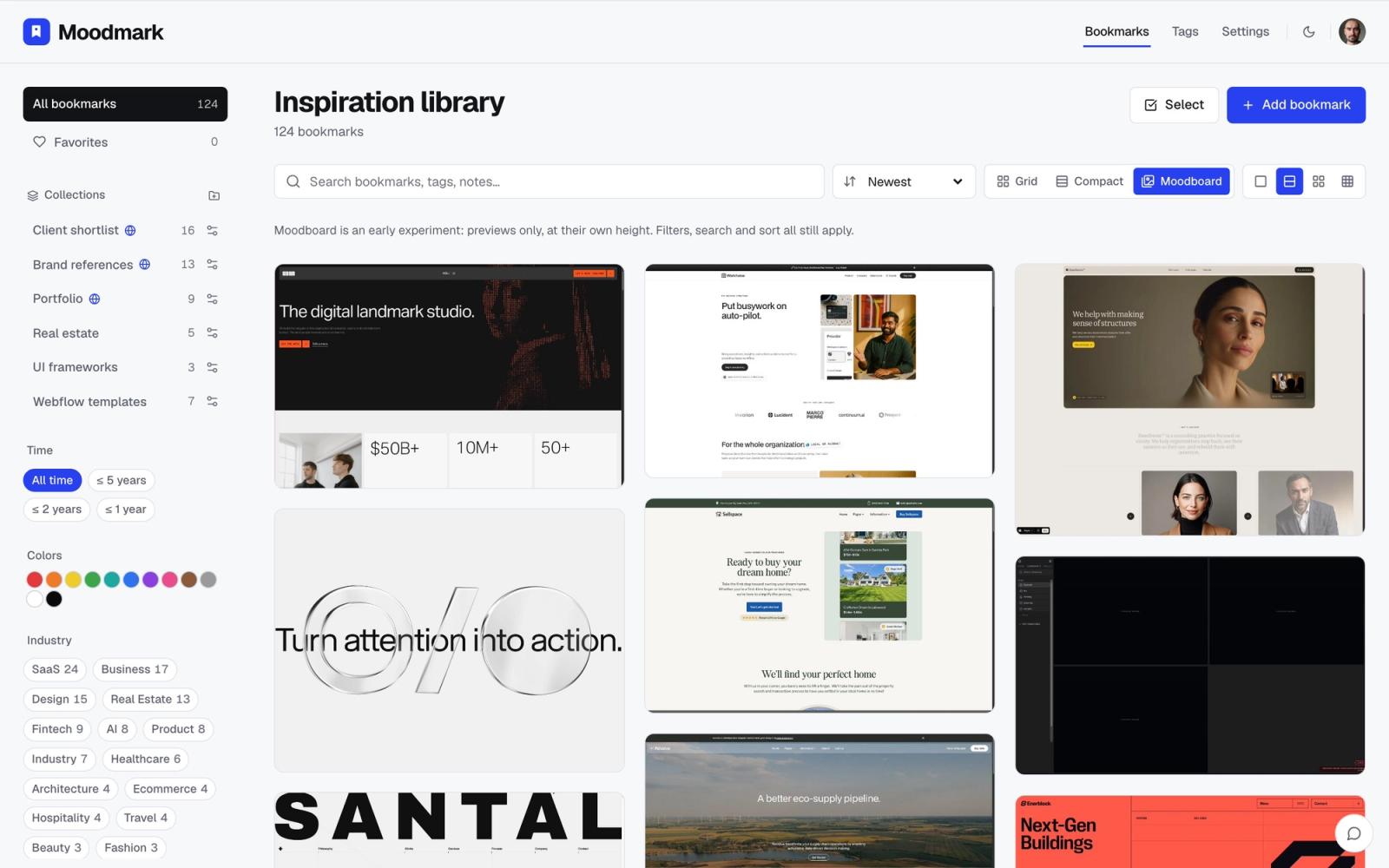
Almost every brand or website project starts with the same request: “can we see what the competitors are doing?” And almost every agency answers it the same way, with a junior designer, forty tabs and a slide deck of cropped screenshots that is out of date by the next quarter.
The research itself is not hard. It is just slow, and it is the kind of slow an AI agent handles well. What follows is the process we use to turn a competitor visual audit into something repeatable: the agent gathers and checks, a visual library captures, and the designer does the actual analysis.
What a visual audit is for
This is not an SEO or traffic analysis. A visual competitor audit answers design questions: what does this market look like, where does everyone cluster, and where is there room to look different? For that you need every competitor's site captured the same way, side by side, with type and colour you can compare.
That is why the output should be a library and not a chat answer. An agent that describes twenty websites in paragraphs has given you a reading task. An agent that saves twenty websites into a collection with screenshots, fonts and palettes has given you a board.
Step 1: Define the set before the agent does
The biggest mistake is asking an agent to “find the competitors”. It will return the obvious five and then pad the list. Decide the buckets first and give each its own collection:
- Direct competitors: same product, same buyer. The client usually knows most of them; start from their list.
- Challengers: newer or smaller players the client may not track yet.
- Aspirational: companies outside the category whose sites the client admires or should.
Use a naming pattern you can repeat on every project, such as “Acme competitors”, “Acme challengers” and “Acme aspirational”, plus the month in the name if you plan to run it again.
Step 2: Connect the agent
Any agent that can browse and use MCP will do: Claude Code, Claude Desktop, Cursor or Codex. Connect it to Moodmark with a personal token from Settings → API & agents. The setup for each client is on moodmark.design/agents, and in Claude Code it is one command.
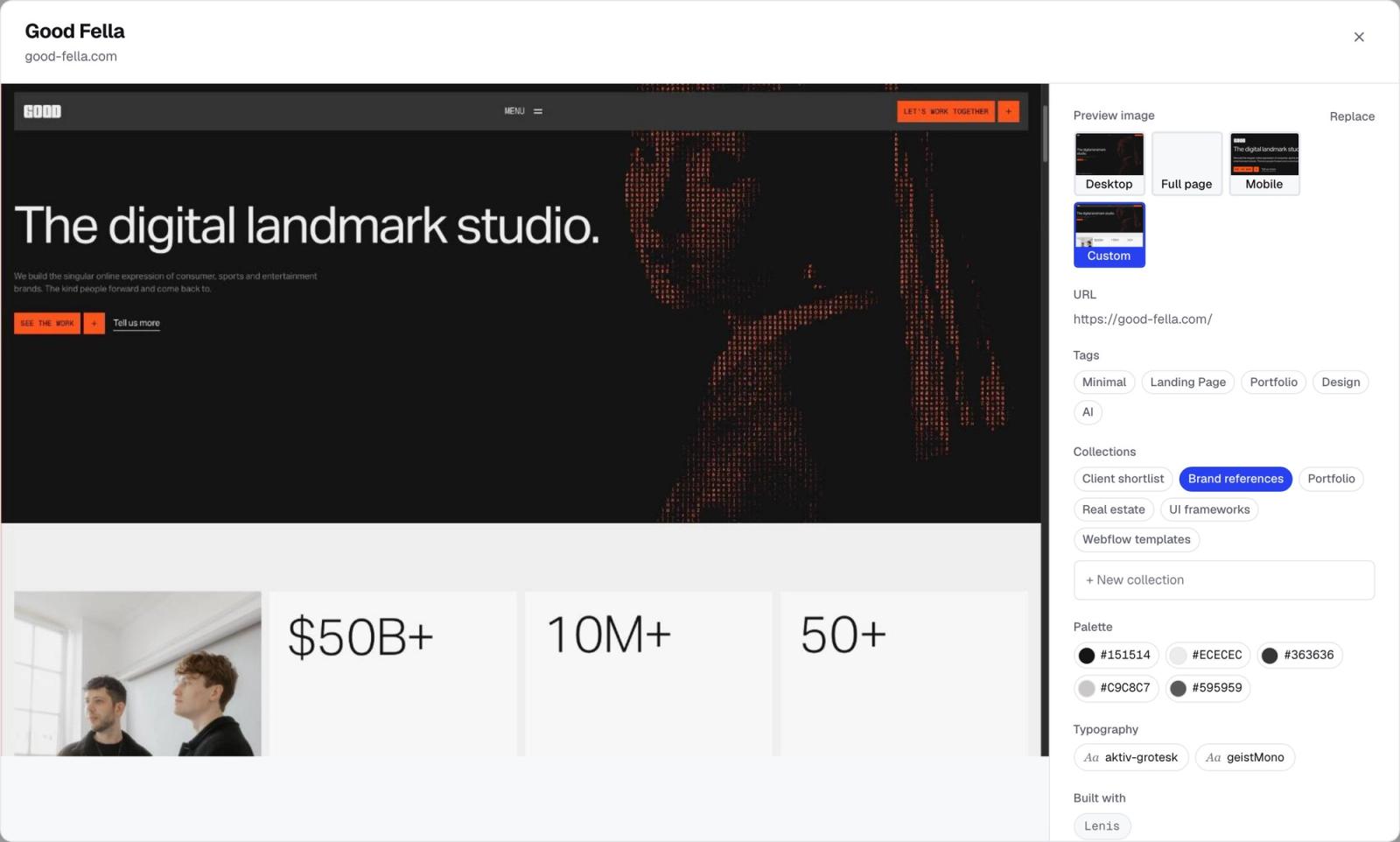
Keep in mind the division of labour. Moodmark does not search the web. The agent finds and opens the sites with its own tools. Moodmark captures each one it saves: screenshot, title, favicon, fonts and tech stack, with the colour palette extracted when you next open the library.
Step 3: Write the audit prompt
Here is the template we start from. Each line is there for a reason.
“My client is [company], a [what they sell] for [buyer] in [market]. Known competitors: [list of URLs]. Find up to [10] more direct competitors that sell [product] to the same buyer. Open every site, including the ones I listed. Skip any that redirect to a login, a holding page or a parent company. Save the verified sites to [Client] competitors with a one-line note on each saying what they sell. Then tell me which sites you rejected and why.”
- The client description tells the agent what “competitor” means here, so it doesn't drift into adjacent markets.
- Opening every site, including your own list, catches rebrands, dead domains and redirects before they end up in a client deck.
- The skip rules stop login screens and parked pages from becoming “competitors”.
- The note gives each save context that is searchable later.
- The rejection list is your quality check. If the reasons look wrong, the brief was unclear.
Run the same prompt with small changes for challengers (“launched in the last few years, skip anything that looks abandoned”) and aspirational sites (“outside [industry], with clear pricing pages and confident type”). Each run saves through save_websites, up to 50 sites per call, into a collection that is created if it doesn't exist.
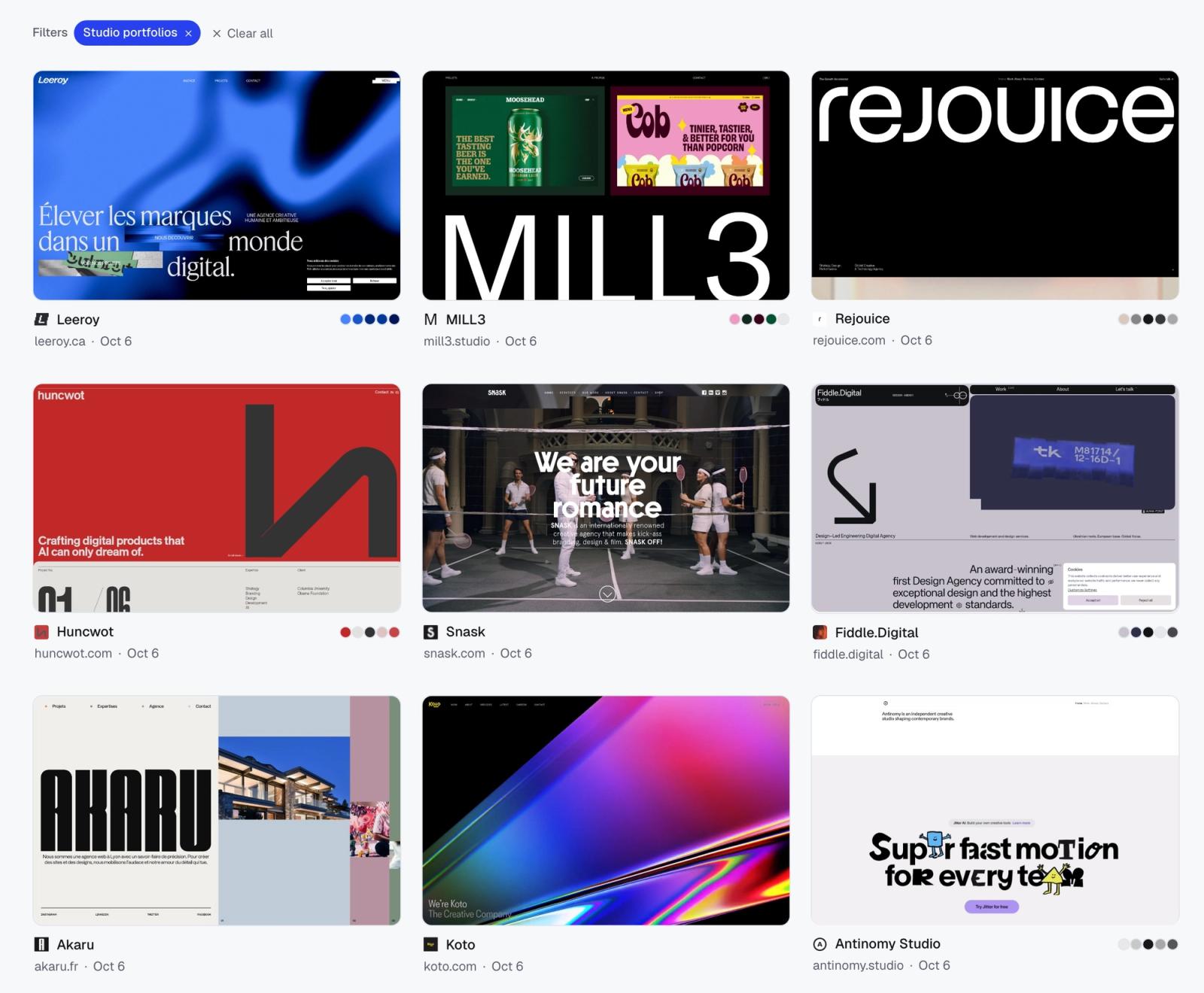
Step 4: Ask the library, not the agent's memory
Once the sites are captured, the useful questions are about what was recorded, not what the agent thinks it knows about these brands. With search_library the agent can read the fonts, colour families, tech and notes of everything in a collection. Prompts that work well:
- “Search Acme competitors and list the fonts used, with how many sites use each.”
- “Which colour families dominate Acme competitors? Which ones does nobody use?”
- “Which site builders and frameworks show up in Acme competitors?” Handy when the client asks what everyone else is built on.
- “Compare Acme competitors with Acme aspirational and list three visual moves the aspirational set makes that the competitors don't.”
Then do the part that is actually your job. Switch the collection to moodboard view and look at the wall. Filter by colour to see who owns which part of the spectrum. The agent's summary tells you that seven of ten competitors use a geometric sans on white; the wall shows you what that sameness looks like, and that is the slide that convinces a client.
Step 5: Share it with the client
A collection can be shared through a public link while the rest of your library stays private. The client opens one URL, browses the screenshots, clicks through to the live sites and votes for the references they respond to. That replaces the deck of cropped screenshots, and the votes give you a head start on the next meeting.
We send the competitor and aspirational collections as two separate links. Clients react differently when the comparison is direct, and it keeps the conversation on positioning rather than on taste.
Making it repeatable
Save the prompt template in your project docs and keep the bucket names consistent. A second run for the same client then takes minutes:
- Run the prompt into a new, dated collection, for example “Acme competitors Q1”.
- Ask the agent to compare it with the previous collection and list new entrants and sites that have disappeared.
- Ask it to open each site from the previous round and flag the ones that look redesigned.
One honest limitation: a site that is already in your library is not saved again. It is added to the new collection, but it keeps the screenshot from when it was first captured. Moodmark is a record of what a site looked like when you saved it, so for redesign tracking, rely on the agent opening the live site and reporting what changed.
For teams that prefer automation over chat, the same token works with the REST API at https://app.moodmark.design/api/v1. A scheduled workflow in n8n, Make or Zapier can post a list of URLs to a collection, for instance new entrants from a market tracker you already maintain.
What to watch for
- Scope creep. Without a clear client description the agent will happily include adjacent markets. Tighten the prompt rather than cleaning up after.
- Plan limits. Agent saves count toward the free plan's 50 bookmarks, and a three-bucket audit can use a good share of that.
- Cleanup stays manual. Agents can save and search but can't edit or delete, so removing a wrong pick happens in the app. That is a deliberate safety line, not a bug.
The value of all this is not that an agent does design research for you. It is that the slow, mechanical part becomes the same few prompts every time, and the hours go back to the analysis the client is actually paying for.
Questions & answers
How do you do a competitor website analysis for a design project?
Define the competitor set in buckets (direct, challengers, aspirational), capture every site the same way, compare them side by side by layout, type and colour, and note where the market clusters. An AI agent connected to a visual library can do the gathering and capture, leaving the comparison to the designer.
Can an AI agent find a company's competitors?
It can find candidates with its own web search, but give it the known competitors, a clear description of the client's product and buyer, and an instruction to open and verify each site. Otherwise it tends to drift into adjacent markets or list sites from memory.
How do I share a competitor audit with a client?
In Moodmark, share the collection through a public link. The client can browse the screenshots, open the live sites and vote for the references they like, while the rest of your library stays private.
Does Moodmark update screenshots when I save a site again?
No. A site that is already saved is added to the new collection but keeps its original capture. To track redesigns, have the agent open the live sites and report what changed.
