
Collecting references is the part of a project that eats the most hours for the least visible output. You open forty tabs, half of them have been redesigned since someone linked them, and by the time you've screenshotted the good ones the afternoon is gone. An AI agent can now do that legwork: search, open, check and file. What it needs from you is a decent brief and somewhere to put the results.
This guide walks through a real run. I asked Claude to find 18 studio and designer portfolios with bold editorial typography and big imagery, open each one, and save them into a Moodmark collection. It worked, and the way the prompt was written is most of the reason why.
What you need before you start
- An agent that can browse the web and call MCP tools. Claude Code, Claude Desktop, Cursor and Codex all qualify.
- A Moodmark account. The free plan holds 50 bookmarks, and anything the agent saves counts toward that.
- A personal token, created in the app under Settings → API & agents.
It helps to be clear about who does what. Moodmark does not search the web. Your agent does the research with its own web search and browser, and Moodmark is where the results land: each site is captured with a screenshot, title, favicon, fonts and tech stack, then filed in a collection. The colour palette is extracted the next time you open your library, which is when the colour filters start working on the new saves.
Step 1: Connect the agent to your library
Create a token in Settings → API & agents. It is shown once, so paste it straight into your agent's config. In Claude Code it is a single command:
claude mcp add --transport http moodmark https://app.moodmark.design/mcp --header "Authorization: Bearer mm_YOUR_TOKEN"
Cursor takes a JSON entry under mcpServers with the same URL and an Authorization header, and Codex reads the same two values from ~/.codex/config.toml. Claude Desktop only starts local servers from its config file, so it connects through the small mcp-remote bridge (it needs Node.js). The exact snippet for each client is on moodmark.design/agents.
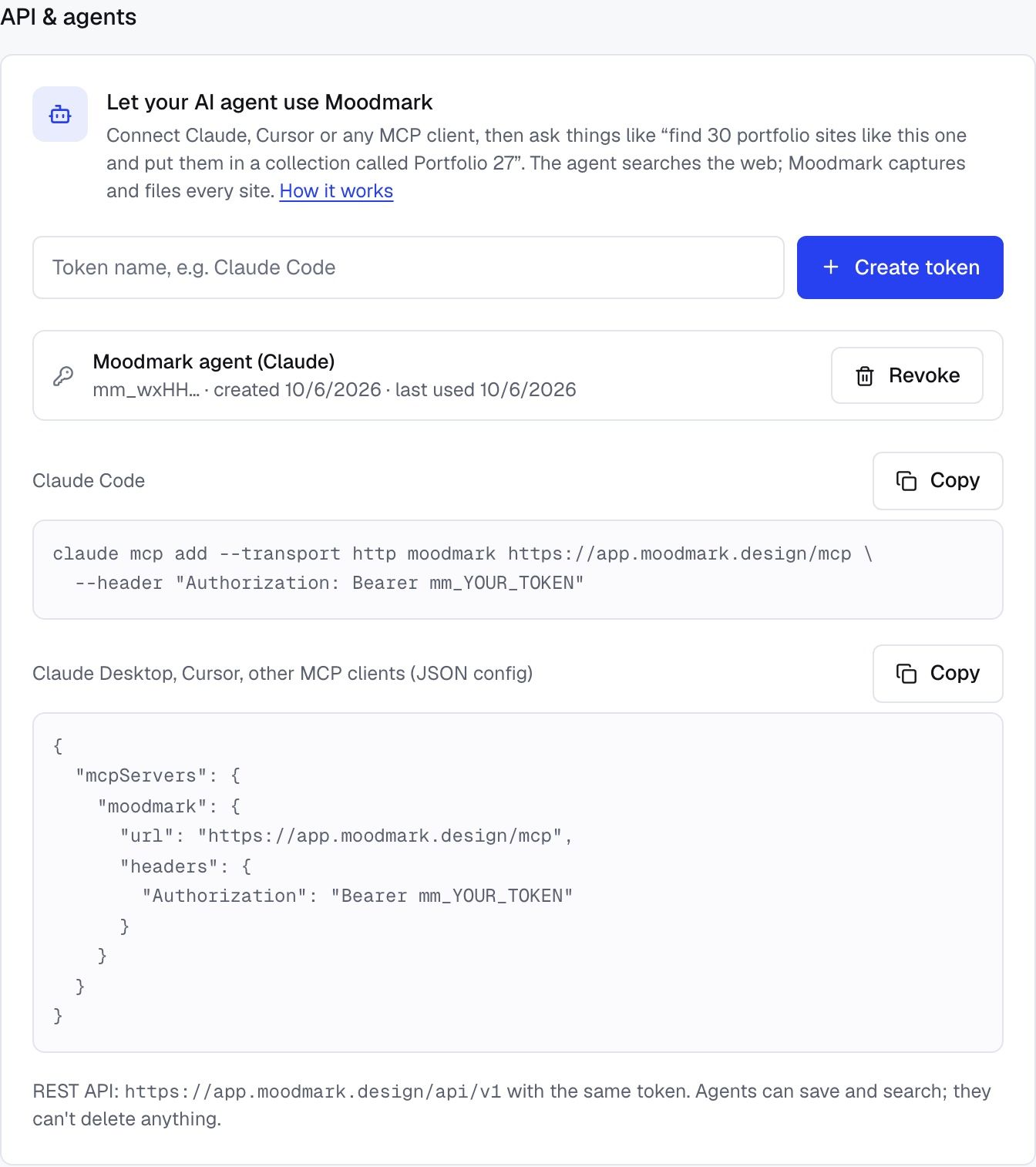
Once connected, the agent sees five tools: save_websites, search_library, list_collections, create_collection and list_tags. None of them delete or edit, so the worst a confused agent can do is save something you didn't want. If you ever need to cut it off, revoke the token and it stops working immediately.
Step 2: Write a brief, not a wish
My first attempts were one-liners like “find 20 nice portfolio sites”. The agent happily returned twenty, and most were the same famous names every inspiration list repeats, a few of them redesigned years ago. It was answering from memory, not looking.
This is the prompt that worked:
“Find 18 standout websites of design studios and independent designers with bold editorial typography and big imagery, like good-fella.com and heykuba.com. Open each one and check it has that look. Save them to a collection called Studio portfolios.”
Three parts of it do the heavy lifting.
Reference sites
Naming good-fella.com and heykuba.com gives the agent a target it can actually open and compare against. “Editorial” can mean a dozen things; two URLs narrow it to one.
Visual traits in plain words
“Bold editorial typography and big imagery” is something the agent can check on a live page. Taste words like “clean”, “modern” or “premium” fit nearly every site on the internet, so they filter nothing.
An instruction to open and verify
“Open each one and check it has that look” changes the result more than anything else in the prompt. Without it, agents list sites they remember. With it, they load each page and judge what is there today.
Step 3: Let it run, and pay attention to what it rejects
In the real run Claude opened every candidate in a browser before saving anything. It threw out plain white pages that didn't match the brief and sites stuck on a loading screen that never finished. Those rejections are the point. A list written from memory would have included both.
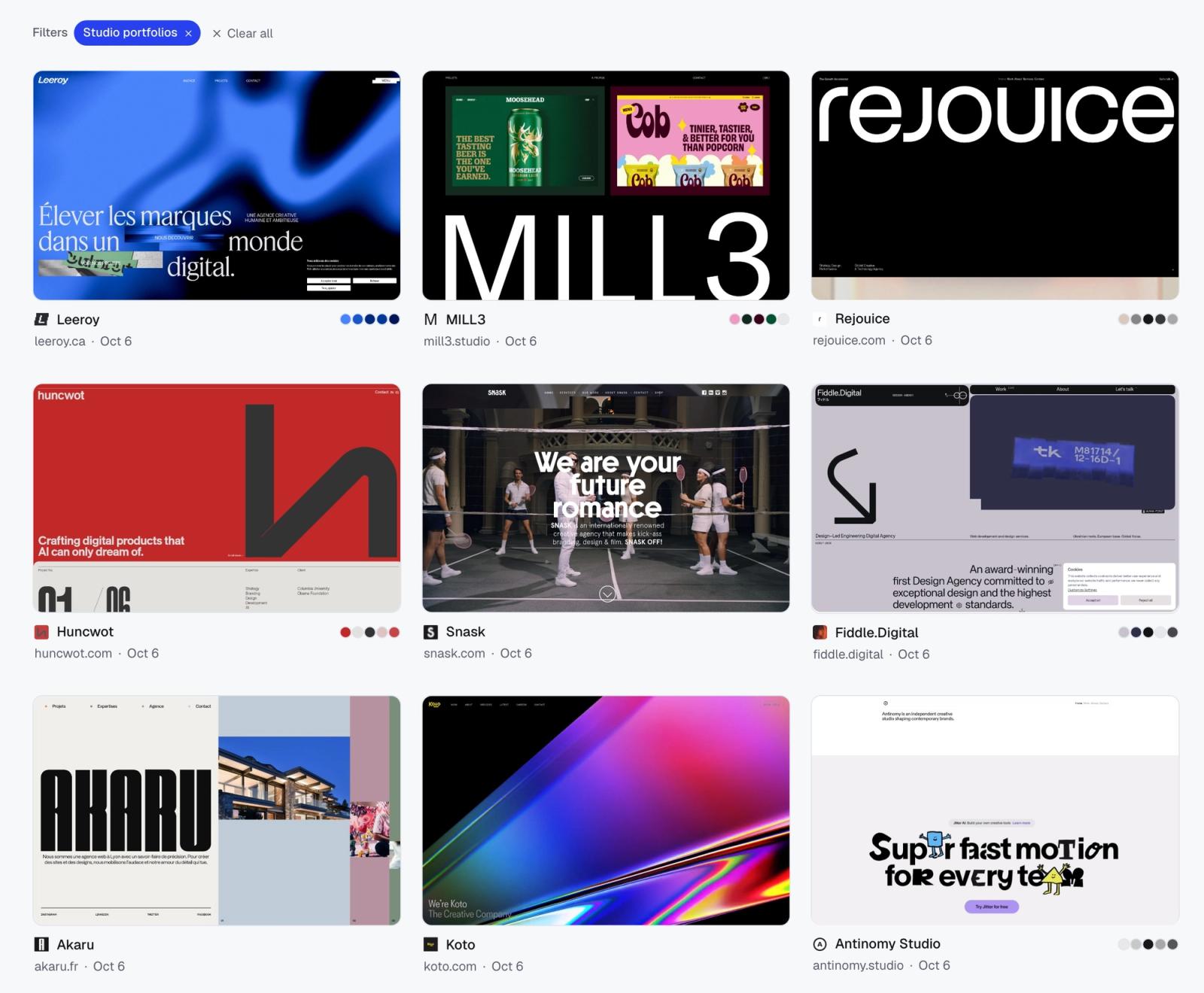
It saved 18: Leeroy, MILL3, Rejouice, Huncwot, Snask, Koto, Akaru, Fiddle.Digital, Antinomy Studio, Studio Freight, BASIC/DEPT, monopo london, Niccolò Miranda, Dennis Snellenberg, Robin Noguier, Olha Uzhykova, Mat Voyce and Olivier Larose. That is a fair split of agencies and solo designers, which is what the brief asked for.
The saves go through save_websites, which takes up to 50 URLs per call and creates the collection if it doesn't exist yet. A site that is already in your library isn't duplicated; it just gets added to the new collection. When it finished, the agent replied with a link straight to Studio portfolios.
Step 4: Turn the collection into a moodboard
Open the collection and switch to the moodboard view. Eighteen screenshots on one wall is where patterns start to show: how many lean on a single oversized serif, who uses full-bleed photography and who uses cut-out objects, which ones go dark.
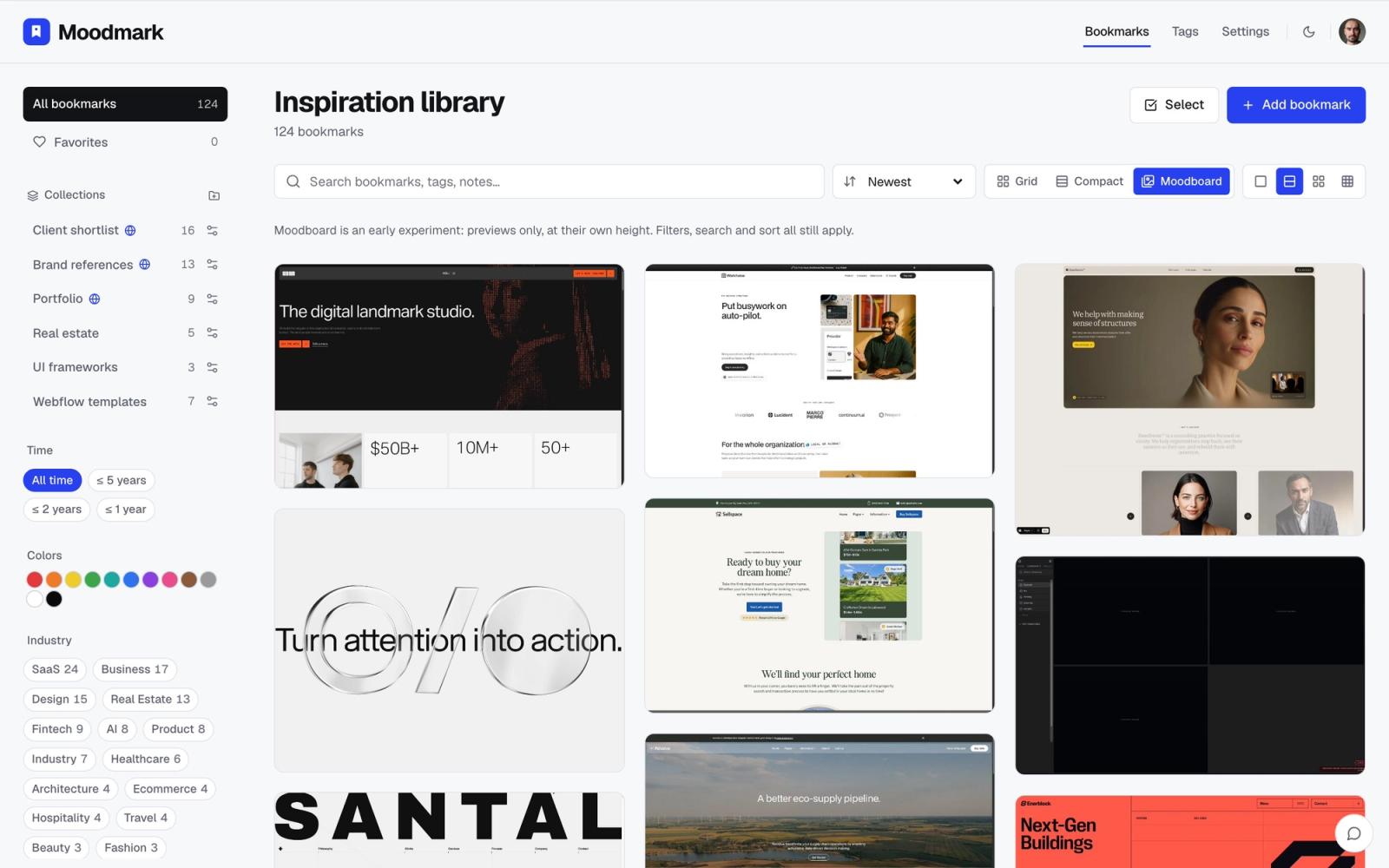
From there the filters do the sorting. Filter by colour to pull out only the dark sites, or by tag to separate studios from solo portfolios. Because fonts and tech were captured on save, you can also ask the agent follow-up questions against the library, such as “which fonts come up most in Studio portfolios?”, and it answers by searching what you saved instead of guessing.
More moodboard prompts that follow the same pattern
- “Find 15 restaurant websites with warm, photo-led layouts like [site] and [site]. Open each one and skip any that are mostly text or a PDF menu. Save them to Restaurant refs.”
- “Collect 12 SaaS landing pages with a dark hero and real product UI above the fold. Check each one live. Save them to Dark SaaS heroes.”
- “Search my library for sites saved in green, pick the five that would suit a calm wellness brand, and add them to a new collection called Wellness client.”
Same structure every time: references, traits you can see on a screenshot, a verification step, and a collection name.
Where it goes wrong
- Asking for too many at once. Request 60 and the agent starts padding the list. Ask for 15 to 20, review them, then ask for another batch.
- Traits you can't point at. If you couldn't circle it on a screenshot, the agent can't check for it either.
- No collection name. The saves still land in your library, just loose. Name the collection every time.
- The free plan ceiling. A large run can hit the 50 bookmark limit. The save result tells the agent when it happens, so it can report back instead of failing silently.
An agent doesn't replace your eye. It replaces the forty tabs. You still decide what goes in front of the client, but you start from a set of references that were checked, captured and filed, instead of a blank board and a long afternoon.
Questions & answers
Can Claude build a moodboard for me?
Yes, if it can browse the web and has somewhere to save the results. Connect Claude to Moodmark through the MCP server, give it reference sites and visual traits, and ask it to open and verify each site. The saved collection then works as a moodboard you can filter by colour and tag.
Does Moodmark find the websites itself?
No. The agent does the research with its own web search and browsing tools. Moodmark captures and files what the agent saves: screenshot, title, favicon, fonts, tech stack, and later the colour palette.
Which AI agents can save to Moodmark?
Claude Code, Codex and Cursor connect directly over HTTP. Claude Desktop connects through the mcp-remote bridge. For scripts and automation tools there is also a REST API that uses the same token.
Will the agent create duplicate bookmarks?
No. If a site is already in your library, it is not saved again; it is only added to the collection the agent is filling.
Can an AI agent delete my saved references?
No. Agents can save, create collections and search. Editing and deleting stay in the app, and any token can be revoked in Settings at any time.
