What people actually mean by a "Figma mood board"
Most designers don't mean a Figma design file when they say this. They mean FigJam, Figma's whiteboard tool, because its infinite canvas and sticky notes make it easier to drop things in loosely than a real design file with frames and constraints. The move is familiar: open a blank board, paste in screenshots of sites or UI you like, and start clustering them by gut feel before a kickoff call or a client presentation.
It's a reasonable way to run a one-hour workshop. The trouble starts a few weeks later, when the board still exists but nobody wants to open it again.
How to build one, step by step
If you're doing this for an upcoming project, here's the version that actually holds up:
- Open a new FigJam file, not a Figma design file. The sticky notes, connectors and freeform shapes are built for arranging, not for pixel-precise layout.
- Collect your references before you open the board. Save the screenshots first, separately, so you're not switching tabs mid-session and losing the thread of what you were looking for.
- Drop everything in loose clusters by instinct. Don't name the categories yet. Grouping by gut feel surfaces patterns you wouldn't have predicted going in.
- Label each cluster after you see what's actually there. A sticky note that says "warm, editorial, lots of serif type" is more useful than a folder name chosen in advance.
- Pull the hex codes with a color picker and lay them out as a strip under each cluster. This is the step most people skip, and it's the one that makes the board usable for anyone who joins the project later.
- Share the link and let people drop reactions directly on the references that land, instead of writing feedback in a separate doc that nobody re-reads.
Where this breaks down
Past roughly 20 to 30 references, a FigJam board stops being something you scan and starts being something you scroll. There's no way to ask it "show me only the ones that use this blue" or "show me only the SaaS ones." You either remember where you put something, or you don't, and re-finding a specific reference means eyeballing the whole canvas again.
The deeper issue is that the board is a snapshot, not a library. It captures what you felt like at the moment you built it. Three months later, with new references saved somewhere else entirely, there's no single place that reflects everything you've collected since.
The real problem: you're rebuilding the moodboard every time
Most designers don't have one mood board, they have a dozen abandoned ones scattered across old FigJam files, a Pinterest board nobody updated, and a folder of screenshots named like "Screenshot 2026-03-14 at 11.42.21.png." Every new project starts from a mostly blank canvas because the last board was never built to be reused, only to be presented once.
A faster way: let the board build itself
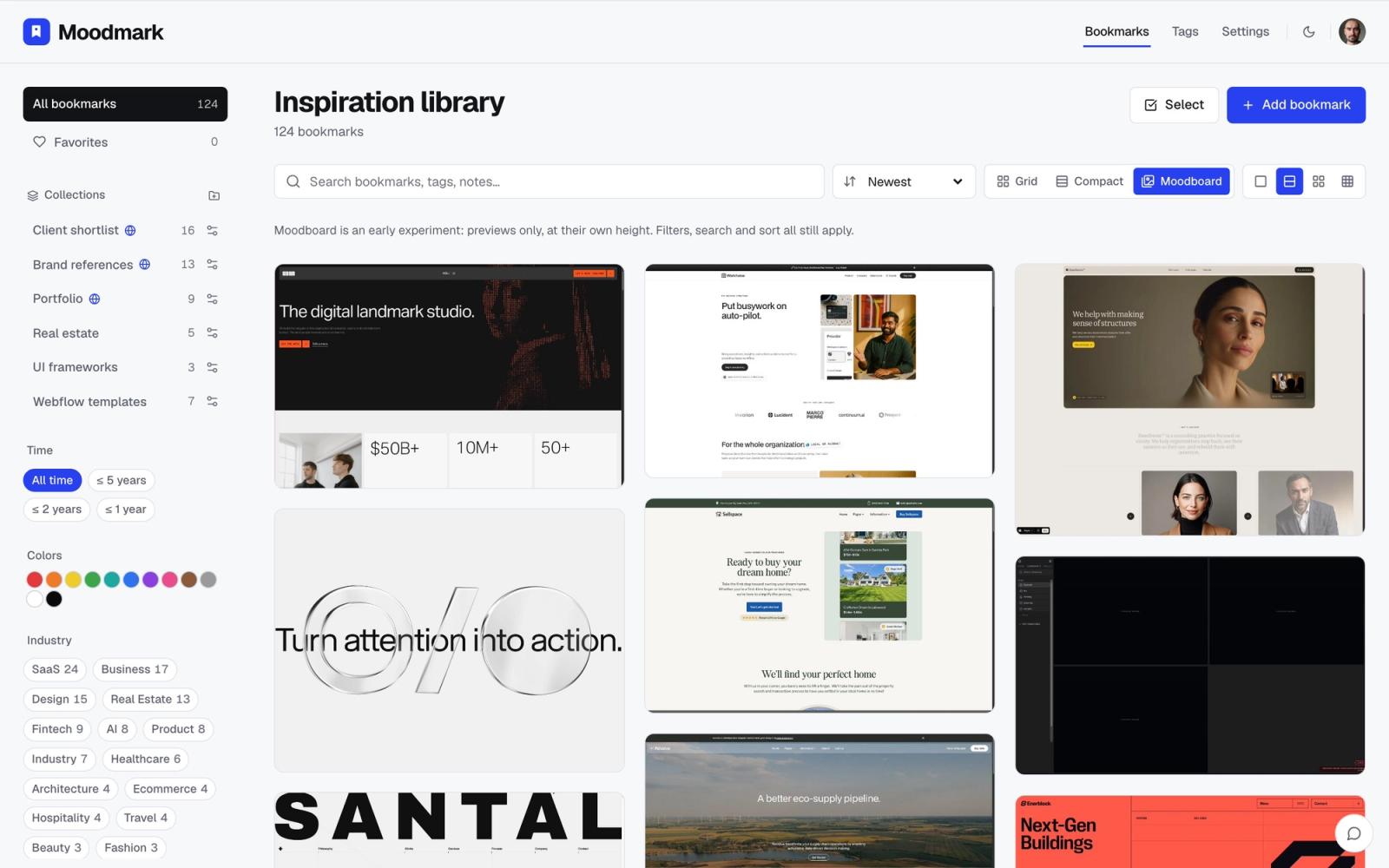
The fix isn't a better template, it's not building the board by hand at all. Moodmark works as a browser extension: you hit save on any site while you're browsing, and it captures a screenshot, the color palette, the fonts, and the tech stack automatically, then tags it. Over weeks, that turns into a library that's already a moodboard, because every reference you've ever saved lives in one place by default, not scattered across old files.
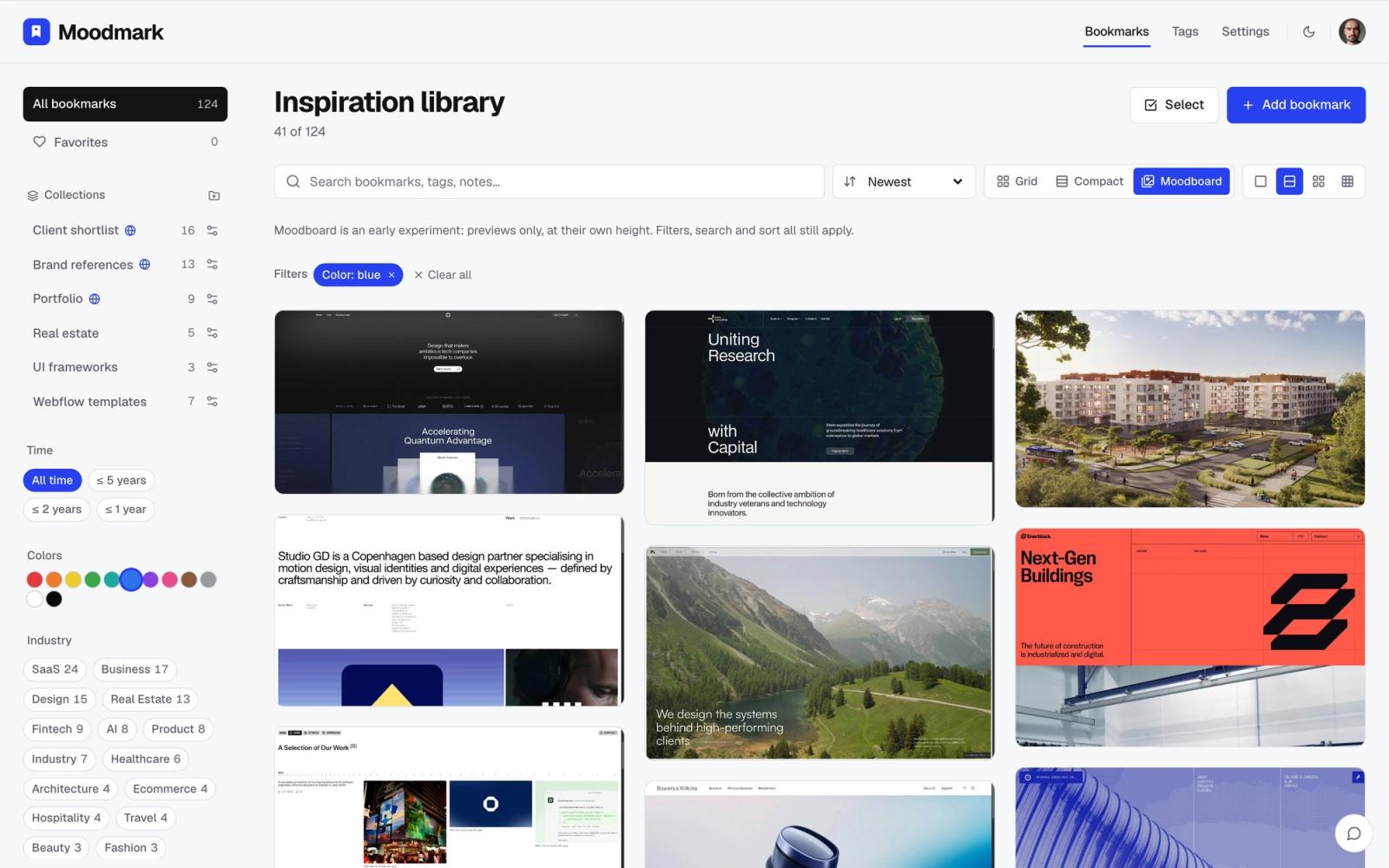
The part that actually replaces the FigJam clustering step is filtering. Instead of dragging screenshots into groups, you click a color swatch, a style tag, or an industry, and the library rearranges itself to show only the matches. Looking for "warm, editorial references with serif type" isn't a sticky note you wrote three months ago, it's a filter you apply right now, on everything you've ever saved, including sites you bookmarked for a completely different project.
When FigJam is still the right tool
None of this makes FigJam useless. Once you've actually narrowed down to the handful of references that matter for a specific brief, a whiteboard is still the better place to lay them out for a client, annotate them, and present a point of view on top of them. The problem was never FigJam as a presentation surface, it's using it as the system you collect and search through for months at a time. Use it for the last mile, not the whole journey.
A workflow that uses both
In practice, the combination that works is: save constantly and broadly while you're browsing, research competitors, or scroll through Dribbble, using the extension so nothing requires a decision at save time. Then, when a brief lands, filter the library down by color, style or industry to the dozen or so references that actually match. Only those final picks get dropped into a FigJam board, with annotations, for the client call. The wide net happens continuously in the background; the curated board gets built in minutes because the filtering already did the sorting.
Start the library before you need it
The reason this feels like extra setup compared to opening a blank FigJam file is timing. A moodboard you build from scratch at kickoff is always going to feel slower than one that's already there because you've been saving to it for months. The sites you save this week, out of habit, with nothing specific in mind, are what make next quarter's kickoff take ten minutes instead of an afternoon of hunting for old screenshots.
Questions & answers
Is there a free mood board template in Figma?
Yes, FigJam's community library has several free mood board and brainstorm templates with pre-built sticky note clusters and color swatch frames. They're a fine starting layout, but you'll still be filling them in by hand and re-finding references yourself.
What's a faster alternative to building a mood board by hand?
Saving references with a visual bookmark manager like Moodmark as you browse, rather than collecting them into a board at the start of each project. It captures the screenshot, palette and tags automatically, so the library is already organized and filterable by the time you need it.
How do I organize mood board references by color?
Manually, you'd pull hex codes with a color picker and group screenshots that share a palette. With a tool that extracts the palette automatically on save, you can instead click a color swatch and filter your whole library down to only the references that use it.
